Voice Reader Web: How to Listen to Any Webpage with AI Speech in 2026
Quick Answer
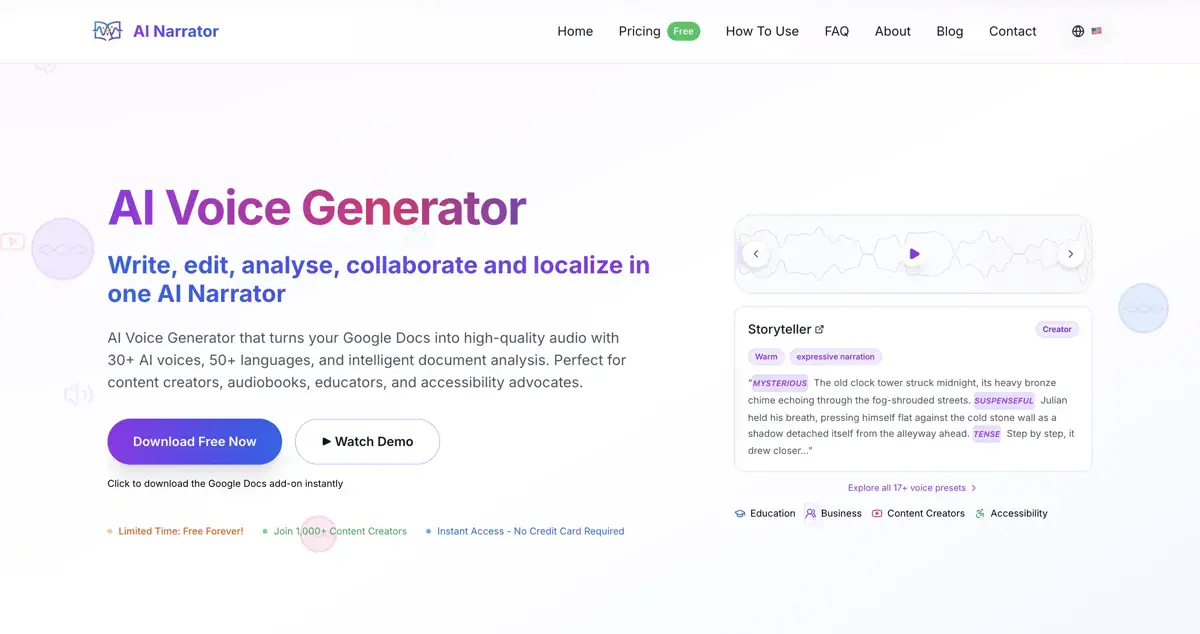
A voice reader for the web converts online text into spoken audio so you can listen to articles, blog posts, PDFs, and documentation hands-free. The fastest, highest-quality way to listen to any webpage is through the AI Narrator Chrome Extension, which uses neural AI voices with natural pacing, multi-language support, and Google Docs integration. Built-in browser tools (like Edge Read Aloud and Chrome system TTS) offer basic playback, while dedicated AI extensions deliver lifelike studio narration.
Why Use a Web Voice Reader?
Beat Screen Fatigue:
Rest your eyes after long work sessions without falling behind on essential reading or industry news.Multitask Effortlessly:
Listen to in-depth analysis and articles while preparing meals, walking, commuting, or working out.Boost Comprehension & Retention:
Listening while scanning text engages dual cognitive channels, improving retention of dense study materials and technical reports.Spot Writing Mistakes by Ear:
Writers and editors catch clunky sentences, repetitive words, and awkward grammar much faster when hearing them read aloud.Inclusive Accessibility:
Provides essential assistance for readers with dyslexia, ADHD, visual impairments, or language learners building pronunciation skills.
Want to hear these voices yourself?
Try our AI Narrator for free right now. No sign-up required.
Web Voice Readers Compared: Extensions vs. Web Apps
| Tool | Integration | Voice Quality | Languages | Best For |
|---|---|---|---|---|
| AI Narrator Chrome Extension | Chrome toolbar & Google Docs sidebar | Hyper-realistic neural AI | 22+ languages / 29+ voices | Web articles, Google Docs & audio downloads |
| Natural Reader | Extension + Web app | Good neural voices | 100+ languages | Casual web browsing |
| Speechify | Extension + Mobile apps | Neural voices & celebrity voices | 60+ languages | Speed listening |
| Read Aloud | Open-source extension | Standard browser voices | System-dependent | Lightweight basic reading |
| Browser Built-in TTS | Native browser shortcut | Robotic to basic neural | OS system voices | Quick accessibility check |
Top Web Voice Reader Tools in 2026
1. AI Narrator Chrome Extension — Best Overall for Realistic Audio
AI Narrator integrates directly into your Chrome browser and Google Docs. With 29+ distinct voice personas across 22+ languages, it delivers expressive, emotional pacing rather than monotone computer speech. You can select text on any webpage or click the toolbar icon to start listening instantly.2. Natural Reader Web Extension
A veteran in the text-to-speech space with a clean reading overlay. It offers a freemium model with free basic playback, though its most natural neural voices require a paid tier.3. Speechify
A popular speed-reading tool built for students and heavy readers. It shines for high-speed playback (up to 4x), though its annual subscription is among the most expensive on the market.4. Read Aloud (Open Source)
A simple, no-frills extension that reads text using whatever voices your operating system or browser provides. Useful for lightweight tasks when voice expressiveness is not a priority.
How to Use AI Narrator to Read Any Webpage Aloud
Listen to Any Webpage with AI Narrator
Convert articles, research papers, and Google Docs into realistic spoken audio right from your Chrome toolbar. Free forever!
Add to Chrome — It's FreeStep 1: Install the Free Chrome Extension
Add the extension from the official Chrome Web Store in one click. No credit card or complex configuration required.
Step 2: Highlight Text or Open Any Webpage
Navigate to any blog post, news article, or Google Doc. You can highlight the specific paragraphs you want to hear, or let the extension parse the main article text.
Step 3: Choose Your Voice & Press Play
Select from warm conversational tones, authoritative narrators, or energetic explainers. Adjust playback speed to your preference and listen in real-time.
What to Look for in a Web Voice Reader
Neural Realism Over Robotic Drones:
Older TTS tools sound robotic and monotone, causing cognitive fatigue after 5 minutes. Look for neural models trained on human inflection, breath pauses, and natural cadences.Zero Friction Workflow:
A good reader should work directly on the webpage you are viewing. If you have to copy text, open another tab, and paste it into a box every time, you will quickly abandon the habit.Multi-Device Continuity:
When your account syncs your quota and voice presets across Chrome, Google Docs, and the web studio, your workflow stays seamless across desktop and mobile.Privacy & Security:
Ensure the extension does not log or store private webpage data, and check that you can easily configure permissions on a per-site basis.
Frequently Asked Questions
What is a voice reader web tool?
A voice reader web tool is software (usually a browser extension or online application) that converts written text on websites into spoken audio using text-to-speech technology. It allows users to listen to web pages, news articles, PDFs, and Google Docs instead of reading them on screen.
Can I use a voice reader on any website?
Yes! Browser extensions like AI Narrator allow you to highlight any text on any webpage or document and click play to hear it read aloud immediately with natural AI voices.
Is there a free web voice reader?
Yes. AI Narrator offers a free Basic plan with monthly conversions, access to neural voices, and integration with Chrome and Google Docs with no credit card required.
How do I add a voice reader to Google Chrome?
Open the Chrome Web Store, search for "AI Narrator", and click "Add to Chrome". Once installed, pin the extension to your toolbar for instant one-click narration on any webpage or document.
Hear your own text read aloud — free, right here
Paste any text and listen in 29+ natural AI voices. No download and no sign-up required.
Open the Free Text-to-Speech ToolWritten by
Daniel Reyes benchmarks AI voice generators and developer TTS APIs. He runs structured listening tests, tracks pricing and language coverage, and writes honest tool comparisons for content creators and product teams.
Disclosure
Some of the tools compared on this site — including AI Narrator — are our own products. We review them on the same footing as competitors, on current pricing and hands-on testing, and always tell you when a product is ours.